Features
A complete 3D golf swing analyzer in your pocket
Everything below runs from a single phone video of your golf swing. No sensors, no launch monitor, results in about two minutes.
Your golf swing, rebuilt in true 3D
From one ordinary phone video, AnchorStance reconstructs your body in three dimensions: 34 joints tracked on every frame, plus your club. Drag to orbit the swing from any angle, switch between camera presets, and jump straight to any of 8 auto-detected swing positions: address, takeaway, mid-backswing, top, mid-downswing, impact, follow-through and finish. Toggle the fitted swing plane and the ideal coach plane to see your motion against the reference.
Coach lines, drawn for you
The reference lines a coach would draw by hand appear on your analyzed swing automatically: shaft plane, ball line, spine tilt, head box and more, each anchored to your actual setup. Turn each line on or off with a tap, on the video and on every key-position still, and they follow you into fullscreen and onto anything you share.
The one fix, not a wall of red
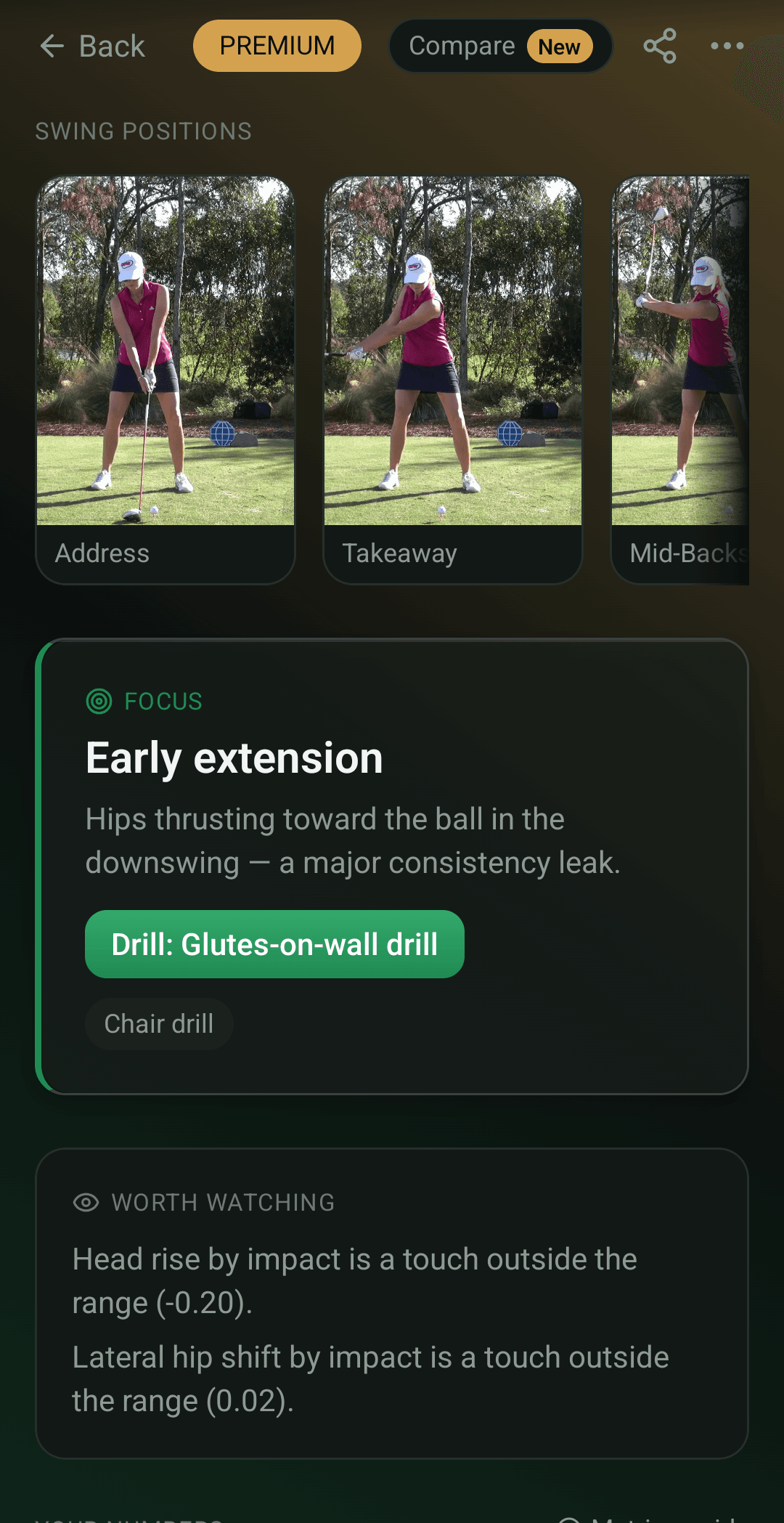
Every analysis leads with the single most important fault in your swing, its root cause in plain language, and the drills that fix it, like the chair drill for early extension. An AI coach ties the advice to your actual measured numbers, and you can tap any metric to see exactly which part of your body it measures.
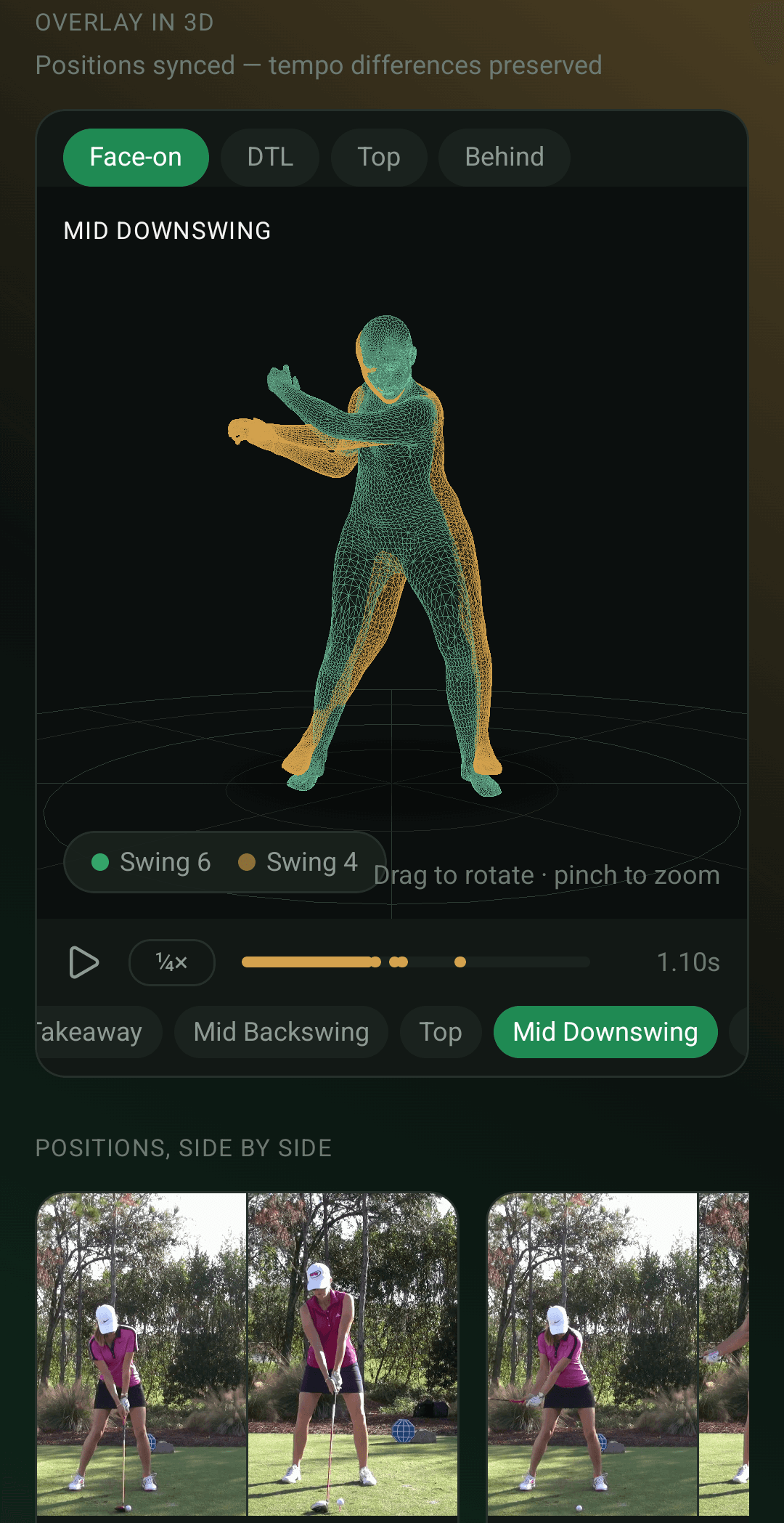
Compare two swings, before and after
Put any two of your analyzed swings side by side: matching key-frame stills position by position, every shared metric with its delta, and a translucent 3D ghost overlay that plays both swings on top of each other. Perfect for checking whether a range session or a lesson actually changed the number you were working on.
Consistency Levels and a Fix List that retires faults
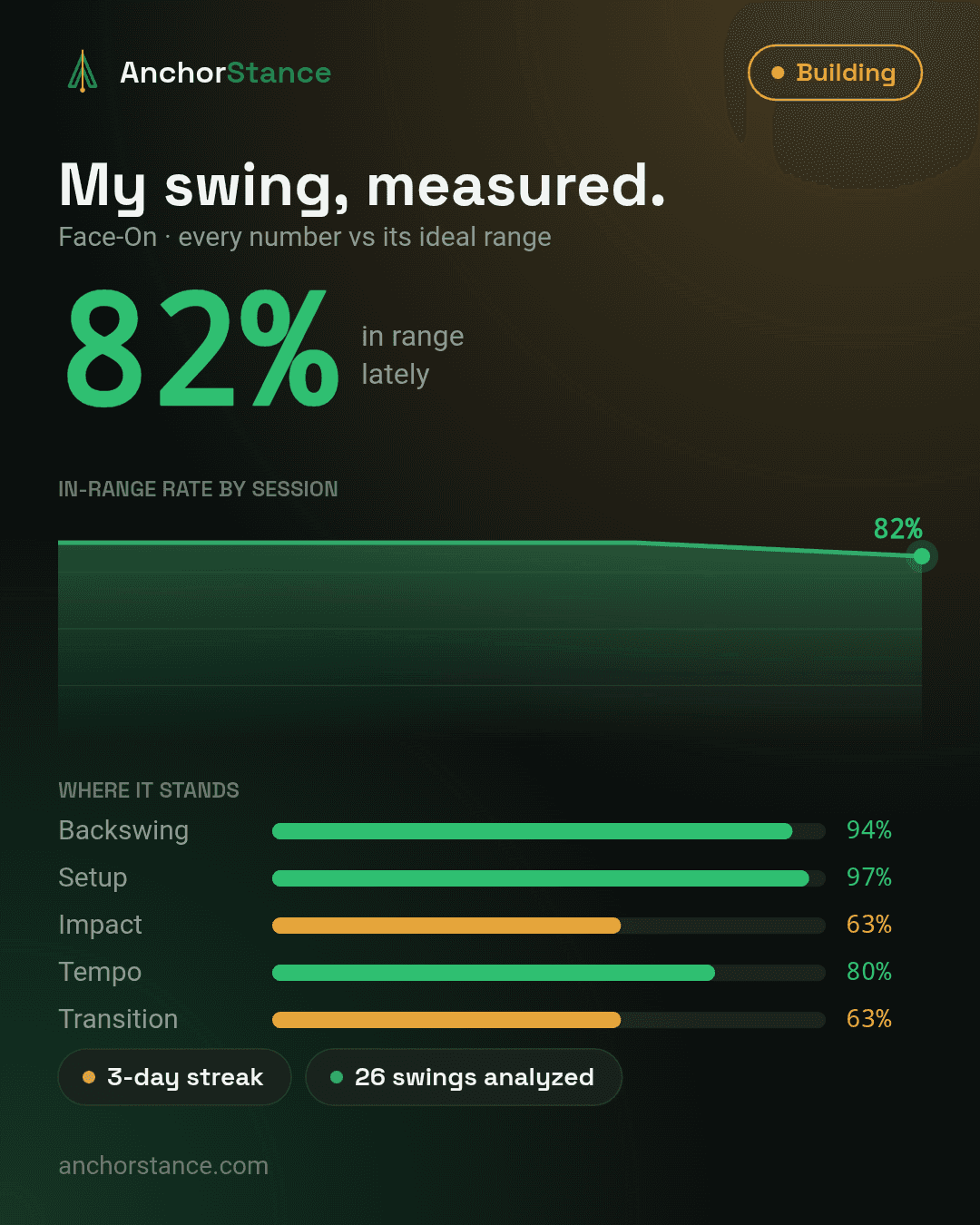
Progress is not one good swing. You earn Levels (Foundation, Building, Consistent, Tour-caliber) by keeping your numbers in range across many swings, per category. Detected faults join your Fix List with drills attached and retire only after clean swings, and per-metric trends show every number moving against its ideal range over time.
Every key position, from every side
Each analysis produces a clean still of all 8 swing positions, and Premium adds 3D renders of every position from the front, side and top. Open any position fullscreen, flip between the photo and its renders, and toggle the coach lines right on the still.
20+ swing metrics, measured against tour ranges
Setup, backswing, transition, impact and tempo: spine angle, X-factor (shoulder-hip separation), hip sway, lead knee angle, stance width, early extension, swing tempo and more. Every metric sits against its ideal range (in range · close · needs work) and is honestly labelled measured or estimated, so you always know how much to trust a number. No fake 0-100 score, ever.
Key-frame gallery and sharing
Every analysis produces a clean still of each swing position, and Premium adds 3D renders of every position from the front, side and top. Share a branded card of any swing, a 3D avatar clip with live metrics, a before/after comparison, or a private link your coach can open in any browser. Your coach reference lines travel with the link, so your coach sees exactly the view you set up.
Film with the phone you already have
No sensors, no launch monitor, no second camera. Any normal phone video works: 30 fps and 720p or better, which every modern phone records by default. The app checks your clip before you spend an analysis (format, resolution and length, plus lighting warnings), tells you honestly when a video can’t be read cleanly, and shows you exactly how to film for the most accurate golf swing analysis.
Practice sessions that organize themselves
Swings group into practice sessions automatically, each with its own in-range rate, per-category breakdown, fault counts and a consistency grade (Tight · Fair · Loose) per camera view. A range session becomes a report card, not a camera roll.
See it on your own golf swing.
Your first 5 full 3D analyses are free, no card required.